Changelog
Clip Types
06/24/2026
Before this addition, it would appear as if some players could have vast parts of a game where they do not contribute. Although this is possible, it is most likely due to the fact that they have either been subbed off or that there was a break in play. Now, users can create clip types, either as a regular clip, a substitution, or a break. This feature ensures that the user knows exactly when a player has been subbed off or there has been a break in play, so it does not appear that the player has simply not been part of the game despite being on the pitch.

Custom Share Toggle
06/20/2026
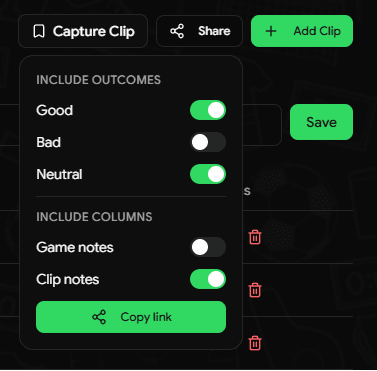
When sharing games and clips to others, one may decide to omit specific data such as extra notes or specific tags. This new feature allows any combination of good, bad, or neutral tags to be shared while also being able to toggle for game notes or notes for specific tags.
Notes Column with Clips
06/10/2026
Often times, having simple tags like "Shot" or "Pass" does not provide enough information for a specific point in a game. Now, with the Notes column, users can provide some context to a clip without needing to revisit the link.

Extra Notes Section with Clips
06/01/2026
Users can now give a general overview of a player's performance. This section is great for giving overall context to a game and/or performance.

This section will save when the Save button is clicked. Note that this section will not autosave. Leaving the tab without saving will result in losing data.
Ease of use features with tables
04/03/2026
In order to improve the user experience, you can now use various keyboard shortcuts to better navigate through the main functionality of the website:
- Users can now use arrows keys to navigate between rows
- Users can now use the enter button to open a clip in a new tab
- When returning to the website after viewing a clip, the most recently viewed clip will be highlighted until another clip is opened or the tab is closed/reloaded
- Users can use the tab key to go between buttons inside a row and hit the space button to allow certain actions such as adding or deleting clips
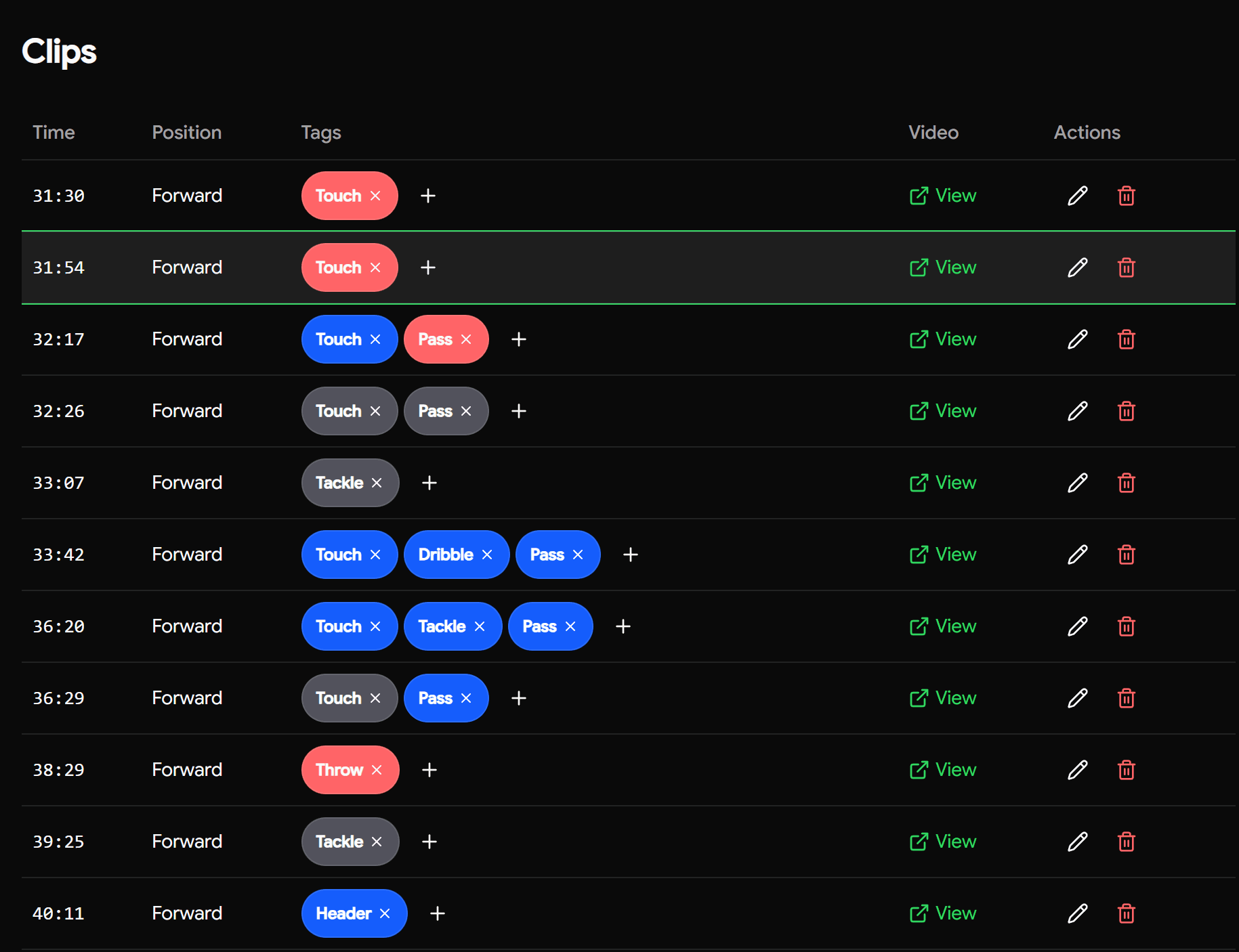
As shown by the image above, certain rows of the table are highlighted in order to make navigation simpler. You can use arrow keys to navigate as well.
Opening clips functionality
04/03/2026
When clicking the "View" button, clips used to open in a new tab, which was incredibly inefficient and increased load times significantly.
In order to improve the user experience, opening clips will open in the same tab, and the user can use the browser's back arrow to return to the website.
Footer toggle option
02/22/2026
For mobile users, the footer can sometimes get in the way of the central information on a page. There is now an option to toggle the footer up and down, which defaults to not being shown.
Users unable to delete players and teams
02/22/2026
Fixed an issue where users were unable to delete players or teams from their organization.
Although we already had the code for deleting both players and teams, the trash can icon never rendered properly on the page. Now, users have the option to both edit and delete players and teams under an organization.


NOTE: you must have at least one player under your organization, and at least one team under your player(s).
Account Creation Organization Lockout
02/19/2026
Fixed an issue where newly created accounts were unable to interact with the app.
When a user signed up, they were not automatically registered to an organization. Since all core features require organization membership, users were effectively locked out.
We added proper onboarding logic to allow users to either join or create an organization immediately after account creation.